
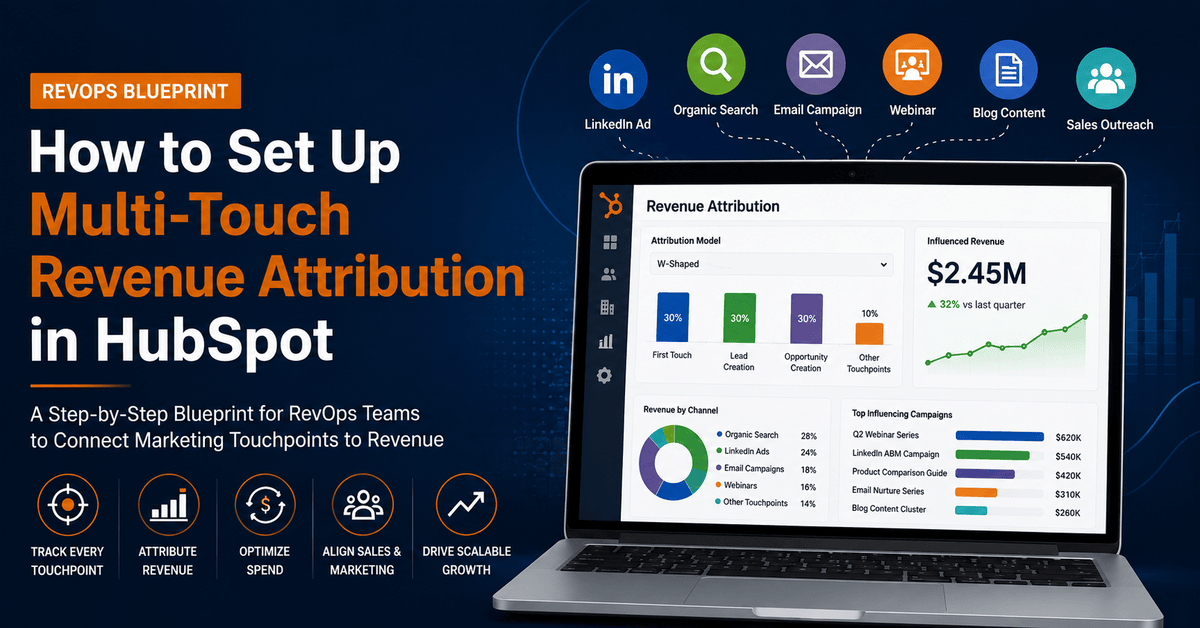
How to Set Up Multi-Touch Revenue Attribution in HubSpot: A RevOps Blueprint
Table of Contents
- What Is Multi-Touch Revenue Attribution?
- Why Revenue Operations Teams Need Attribution
- Understanding HubSpot Attribution Models
- The RevOps Blueprint for Setting Up Multi-Touch Attribution in HubSpot
- Common Revenue Operations Attribution Mistakes to Avoid
- Key Revenue Operations Metrics to Track
- How High-Growth Revenue Operations Teams Use Attribution to Scale Revenue
- Frequently Asked Questions
- Conclusion
- STRATEGIC RECOMMENDATION
Blog Summary
Most B2B revenue teams are making budget decisions with incomplete data—relying on single-touch attribution models that misrepresent how deals actually close. This blueprint walks Revenue Operations leaders through every step of building a scalable multi-touch attribution system inside HubSpot: from auditing CRM data and standardizing UTM tracking to configuring attribution reports and building executive dashboards that connect marketing activity to closed revenue.
Think about the last enterprise deal your team closed. It started with a LinkedIn ad, moved to an organic blog post, involved a webinar, two sales emails, a product demo, and a referral conversation—before the contract was signed. Now ask yourself: which of those touchpoints gets the credit?
For most Revenue Operations teams still relying on first-touch or last-touch attribution, the honest answer is: only one. That means every budget decision, every channel investment, every forecast conversation is built on a partial picture of reality.
Modern B2B buyers average 10–12 meaningful interactions before signing a contract. They move across channels, shift timelines, involve multiple stakeholders, and resist the linear funnel that single-touch models assume.
Multi-touch revenue attribution solves this. When configured correctly inside HubSpot, it gives Revenue Operations leaders a complete, data-backed picture of which campaigns, channels, and content are actually driving pipeline and closed revenue—not just top-of-funnel activity.
1 What Is Multi-Touch Revenue Attribution?
DEFINITION
Multi-touch revenue attribution is a methodology that distributes revenue credit across every marketing and sales interaction a buyer had before becoming a customer—rather than assigning all credit to a single touchpoint. It answers the question: which activities, across which channels, contributed to this closed deal?
Traditional attribution models treat the buyer journey as a single moment. Multi-touch models treat it as a connected series of interactions—each one contributing to the decision to buy.
How Revenue Credit Gets Distributed
Different multi-touch models distribute credit differently. Some weight the first and last interaction more heavily (U-shaped and W-shaped models). Others spread credit evenly across all touchpoints (linear). Advanced models use data science to weight interactions based on their actual statistical influence on conversion (data-driven attribution).
Here’s what makes multi-touch attribution transformative for Revenue Operations: it connects marketing activity to closed revenue, not just leads.
The Multi-Touch Buyer Journey
| Stage | Touchpoint Examples | Attribution Role |
| Awareness | LinkedIn Ad, Google Search, Blog Post | First-Touch Credit |
| Engagement | Additional Blog Posts, Social Media | Mid-Funnel Influence |
| Lead Created | Webinar, Form Fill, Comparison Guide | Lead Creation Credit |
| Opportunity | Demo Request, Pricing Page, BDR Outreach | Opportunity Credit |
| Customer | ROI Discussion, Legal Review, Contract Sign | Deal-Close Credit |
A Practical Example
Imagine a $40,000 SaaS deal. The contact first found you through a Google ad (Awareness). They read three blog posts over two weeks (Engagement). They downloaded a comparison guide via email (Lead). They attended a webinar (Opportunity). A BDR followed up with a personalized demo sequence (Sales). The deal closed after a final ROI conversation.
Last-touch attribution gives 100% of the $40,000 credit to the ROI call. Multi-touch attribution distributes credit across every touchpoint—giving you the data to understand that the blog posts drove 23% of influence, the webinar drove 31%, and the paid ad that started the journey drove 18%.
2 Why Revenue Operations Teams Need Attribution
Revenue Operations sits at the intersection of marketing, sales, and customer success—and its core mandate is pipeline visibility, forecast accuracy, and revenue efficiency. Multi-touch attribution is one of the highest-leverage tools available to achieve all three.
Without attribution, RevOps teams are forced to rely on channel-reported data (Google Ads reporting its own success, email platforms reporting their own opens) rather than CRM-verified revenue outcomes. That creates misalignment, inflated ROI claims, and budget arguments that nobody wins.
| Area | Without Attribution | With Multi-Touch Attribution |
| Budget Decisions | Based on channel self-reporting and gut feel | Based on CRM-verified revenue contribution per channel |
| Marketing & Sales Alignment | Separate reporting, competing narratives | Shared pipeline dashboard, unified revenue story |
| Forecast Accuracy | Pipeline influenced by unverified lead sources | Attribution-weighted pipeline with reliable source data |
| Executive Reporting | Disconnected metrics—MQLs, CPL, deals | Unified view: channel → pipeline → revenue → ROI |
| Campaign Optimization | Optimizing for last-click conversions | Optimizing for multi-touch revenue influence |
| CAC Accuracy | Underestimates or overestimates acquisition cost | Accurate CAC calculation across influenced channels |
EXPERT INSIGHT
“The teams winning on revenue efficiency in 2026 aren’t just measuring cost-per-lead. They’re measuring marketing-influenced revenue, pipeline velocity by source, and ROMI by channel. Multi-touch attribution in HubSpot is what makes that possible—without needing a third-party data platform or a data science team.”
3 Understanding HubSpot Attribution Models
HubSpot offers six native attribution models. Each distributes revenue credit differently, and choosing the right one—or combining multiple—is a foundational RevOps decision.
First-Touch Attribution
Gives 100% of the revenue credit to the very first interaction a contact had with your brand—the channel or campaign that originally brought them into your world.
Advantage: Clearly shows which awareness channels are generating demand and new pipeline entry points.
Disadvantage: Completely ignores every interaction after acquisition, including the ones that actually drove the decision to buy.
Best Use Case: Brand awareness budget justification, top-of-funnel channel analysis.
Last-Touch Attribution
Assigns 100% of revenue credit to the final interaction before a deal closed—the campaign or channel that was the last to touch the contact.
Advantage: Simple to implement, easy to explain, good for identifying conversion-stage assets.
Disadvantage: Creates dangerous blind spots for mid-funnel and awareness investments.
Best Use Case: Bottom-of-funnel optimization, conversion asset evaluation.
Linear Attribution
Distributes revenue credit equally across every touchpoint in the buyer journey. If there were 10 interactions, each gets 10% of the deal value.
Advantage: Fair, comprehensive, easy to understand—no touchpoint is ignored.
Disadvantage: Treats a casual homepage visit the same as a product demo request.
Best Use Case: Initial attribution setup, broad channel performance reviews.
U-Shaped Attribution
Gives 40% credit to the first touch, 40% to the lead creation touchpoint, and distributes the remaining 20% across all touchpoints in between.
Advantage: Balances awareness and conversion credit.
Disadvantage: Doesn’t differentiate the deal creation and closing stages.
Best Use Case: Demand generation programs, inbound-heavy marketing teams.
W-Shaped Attribution
Distributes 30% each to first touch, lead creation, and opportunity creation—with the remaining 10% spread across all other interactions.
Advantage: Recognizes the three critical milestones in a B2B funnel.
Disadvantage: Still doesn’t credit the closing activities that push late-stage deals over the line.
Best Use Case: B2B SaaS companies with defined lead-to-opportunity processes.
Full-Path Attribution
The most comprehensive HubSpot model. Assigns 22.5% to first touch, lead creation, opportunity creation, and deal close—with 10% distributed across all middle touchpoints.
Advantage: Captures the entire revenue journey from awareness to close.
Disadvantage: Requires clean, complete data across all lifecycle stages.
Best Use Case: Enterprise B2B deals with complex multi-stakeholder journeys.
| Model | Credit Allocation | Best Use Case |
| First-Touch | 100% to first interaction | Top-of-funnel analysis |
| Last-Touch | 100% to final interaction | Conversion asset review |
| Linear | Equal split across all touches | Initial RevOps setup |
| U-Shaped | 40% first, 40% lead, 20% middle | Inbound-heavy teams |
| W-Shaped | 30% each to 3 milestones, 10% middle | B2B SaaS pipeline teams |
| Full-Path | 22.5% to 4 milestones, 10% middle | Enterprise B2B deals |
4 The RevOps Blueprint for Setting Up Multi-Touch Attribution in HubSpot
Setting up attribution in HubSpot isn’t a one-click configuration. It’s a structured RevOps initiative that requires clean data, consistent governance, and cross-functional alignment. This six-step blueprint walks you through the complete setup process.
STEP 1 — Audit Your CRM and Revenue Data Structure
Before you touch a single report, audit what’s actually in your HubSpot CRM. Attribution is only as accurate as the data feeding it.
What to Audit:
- Lifecycle stages — Are they consistently applied across all contacts?
- Deal pipelines — Does each stage have a clear definition, and are closed-won deals recording actual revenue?
- Contact associations — Are contacts properly linked to companies and deals?
- Revenue properties — Is Deal Amount populated on all closed deals?
- Duplicate contacts — Are duplicates skewing your touchpoint counts?
Best Practice
Run a HubSpot CRM audit before starting attribution configuration.
STEP 2 — Standardize UTM Tracking Across All Channels
UTM parameters are the backbone of attribution reporting. Without them, HubSpot can’t tell you which campaign drove a contact—it will only report “Direct” or “Unknown.”
| UTM Parameter | Purpose | Example Value | Naming Convention |
| utm_source | Traffic origin platform | google, linkedin, newsletter | Lowercase, no spaces |
| utm_medium | Marketing channel type | paid-search, email | Hyphenated, lowercase |
| utm_campaign | Specific campaign name | q2-2026-revops-guide | Quarter + year + name |
| utm_content | Ad or asset variant | banner-a, cta-footer | Asset type + variant |
| utm_term | Paid keyword (PPC) | hubspot-attribution | Exact match, hyphenated |
Pro Tip
Build a shared UTM taxonomy document accessible to all teams. Every person who creates a campaign link must use the same naming convention or your attribution data will fragment.
STEP 3 — Configure HubSpot Attribution Reports
HubSpot offers three core attribution report types. Each answers a different RevOps question.
Contact Creation Attribution Report
Question: Which sources and campaigns are generating new contacts?
Recommended Setup:
- Object: Contacts
- Attribution Model: First-Touch or U-Shaped
Deal Creation Attribution Report
Question: Which touchpoints influenced a deal being created in the pipeline?
Recommended Setup:
- Object: Deals
- Attribution Model: W-Shaped or Linear
Revenue Attribution Report
Question: Which campaigns influenced closed-won revenue?
Recommended Setup:
- Object: Deals (Closed Won)
- Attribution Model: Full-Path
Implementation Steps in HubSpot
- Navigate to Reports → Reports → Create Report
- Select Attribution Report Type
- Choose your Attribution Model
- Set the Reporting Dimension (Source, Campaign, Content, or Channel)
- Filter by Date Range and Pipeline
- Save to your RevOps Dashboard
STEP 4 — Build Closed-Loop Reporting
Closed-loop reporting connects every marketing touchpoint back to a revenue outcome in the CRM.
It answers:
“We spent X on this campaign—did it drive revenue, and how much?”
In HubSpot, This Requires:
- Every lead source tracked via UTM at contact creation
- Lifecycle stages accurately updated as contacts progress
- Deal-contact associations properly maintained
- Deal revenue recorded at close
When these four elements are in place, your attribution reports will show a complete path from:
Campaign → Contact → Deal → Revenue
STEP 5 — Build Executive Attribution Dashboards
The reports are only valuable if they’re accessible to decision-makers.
Build a dedicated Revenue Attribution Dashboard in HubSpot with components organized by audience.
| Dashboard Section | Key Reports | Primary Audience |
| Pipeline Attribution | Deals created by source, pipeline by channel, deal velocity | Sales Ops, VP Sales |
| Revenue Attribution | Closed revenue by channel, ROMI by campaign, full-path waterfall | CMO, CFO, RevOps Lead |
| Channel Performance | Contacts by source, MQLs by channel, conversion rate by source | Demand Gen, Marketing Ops |
| Content Influence | Revenue influenced by content asset, blog attribution, webinar ROI | Content Team |
| Campaign ROI | Spend vs influenced revenue, CPL vs CPA by channel | Paid Media, Growth Team |
STEP 6 — Validate, Audit, and Optimize
Attribution setup is not a one-time project.
Establish a quarterly RevOps review cycle to maintain data integrity and model accuracy.
Monthly Data Quality Checks
Review:
- UTM coverage rates
- Lifecycle stage accuracy
- Orphaned contacts
- Missing deal associations
Quarterly Attribution Audits
Cross-reference HubSpot attribution data with channel platform data to identify discrepancies.
Model Reviews
As your buyer journey evolves, your attribution model may need updating.
Stakeholder Alignment Sessions
Present attribution findings to marketing and sales leadership every quarter.
5 Common Revenue Operations Attribution Mistakes to Avoid
Most HubSpot attribution setups fail not because of technical complexity but because of avoidable data and process mistakes.
| Mistake | Why It Happens | The Fix |
| Relying only on Last-Touch Attribution | Default HubSpot setting, easiest to explain | Implement W-Shaped or Full-Path models |
| Missing UTM Parameters | No naming convention | Create a shared UTM taxonomy document |
| Poor CRM Hygiene | Duplicate contacts, inconsistent lifecycle stages | Run quarterly CRM audits |
| Broken Contact-to-Deal Associations | Deals created without linking contacts | Enforce deal association standards |
| Ignoring Offline Touchpoints | Events and calls not logged | Use HubSpot Calling, Meetings, and manual logging |
| Misaligned Lifecycle Stages | Marketing and Sales define stages differently | Create a shared lifecycle-stage definition |
| No Data Ownership | Nobody accountable for data quality | Assign a RevOps data owner |

6 Key Revenue Operations Metrics to Track
Once your attribution model is live, these are the metrics your RevOps team should monitor consistently.
1. Marketing-Influenced Revenue
Formula:
Deals with at least one marketing touchpoint ÷ Total Revenue
Measures:
The percentage of revenue influenced by marketing.
2. Marketing-Sourced Revenue
Formula:
First-Touch = Marketing Channel / Closed Revenue
Measures:
Revenue where marketing generated the original contact.
3. Return on Marketing Investment (ROMI)
Formula:
(Influenced Revenue − Spend) ÷ Spend × 100
Measures:
True marketing ROI using attribution-verified revenue.
4. Pipeline Coverage Ratio
Formula:
Total Pipeline Value ÷ Revenue Target
Measures:
Whether enough pipeline exists to hit revenue goals.
Benchmark:
3:1 Pipeline Coverage Ratio
5. Revenue Velocity
Formula:
(Deals × Win Rate × Deal Value) ÷ Sales Cycle Length
Measures:
How quickly revenue moves through the pipeline.
6. Customer Acquisition Cost (CAC)
Formula:
Total Sales + Marketing Spend ÷ New Customers
Measures:
The true cost of acquiring customers.
7. Conversion Rate by Source
Formula:
Closed Deals by Source ÷ Contacts by Source
Measures:
Which channels generate the highest-quality leads.
8. Sales-Assisted Revenue
Formula:
Deals with Sales Activity ≥ 1 ÷ Total Revenue
Measures:
How much revenue required direct sales involvement.
7 How High-Growth Revenue Operations Teams Use Attribution to Scale Revenue
Attribution data is only valuable when it informs decisions. The highest-performing RevOps teams use multi-touch attribution insights to make smarter revenue decisions, improve forecasting, and optimize marketing spend.
Budget Reallocation Based on Revenue Influence
A B2B SaaS company running attribution analysis discovers that LinkedIn Sponsored Content, which represents 18% of their paid media spend, influences 34% of their closed revenue in a W-Shaped attribution model.
Meanwhile, Google Display campaigns consuming 22% of budget show only 7% revenue influence.
That data drives an immediate budget reallocation—without needing a lengthy strategy debate.
Key Benefit
Attribution allows teams to invest more in channels that generate actual revenue instead of channels that merely generate clicks or leads.
Pipeline Acceleration Through Channel Quality Analysis
When RevOps teams track revenue velocity by source, they often find that certain channels produce deals that close significantly faster.
For example:
- Webinar-sourced contacts may close in 45 days
- Cold outreach contacts may take 90 days
This insight impacts both:
- Marketing budget allocation
- Sales prioritization and outreach sequencing
Rather than treating all leads equally, teams focus on sources that accelerate revenue generation.
Forecast Accuracy Through Attribution-Weighted Pipeline
Standard forecasting treats every opportunity equally.
Attribution-informed forecasting goes further by weighting opportunities based on source quality and buyer engagement.
Deals involving multiple high-intent touchpoints such as:
- Demo Requests
- Pricing Page Visits
- Webinar Attendance
typically close at higher rates and produce more accurate forecasts.
Content ROI Proof at the Executive Level
One of the most challenging conversations in B2B marketing is proving content ROI to executive leadership.
Attribution changes the conversation completely.
Instead of reporting:
- Page views
- Downloads
- Engagement metrics
RevOps teams can demonstrate:
- Revenue influenced by content
- Pipeline generated by content
- Closed-won deals impacted by content assets
For example, a single pillar page may influence $380,000 in closed revenue across multiple deals over six months.
At that point, content becomes a measurable revenue asset rather than a marketing expense.
REVOPS EXPERT COMMENTARY
“The RevOps teams seeing the most impact from attribution aren’t using it as a reporting exercise—they’re using it as a decision-making system. Every quarter, they reallocate budget based on attribution data, update their ICP based on sourcing patterns, and bring attribution-verified revenue numbers to leadership. That’s what transforms attribution from a dashboard feature into a genuine growth lever.”
8 Frequently Asked Questions
What is Multi-Touch Revenue Attribution in HubSpot?
Multi-touch revenue attribution in HubSpot is a reporting methodology that distributes deal revenue credit across multiple marketing and sales interactions rather than assigning it to a single touchpoint.
HubSpot offers six native attribution models:
- First-Touch
- Last-Touch
- Linear
- U-Shaped
- W-Shaped
- Full-Path
Each model distributes credit differently and helps Revenue Operations teams understand which campaigns, channels, and content assets influence pipeline and revenue.
Which Attribution Model Is Best for B2B Companies?
For most B2B SaaS companies, W-Shaped and Full-Path attribution models provide the most balanced and actionable insights.
W-Shaped Attribution
Credits:
- First Touch
- Lead Creation
- Opportunity Creation
Ideal for organizations with structured lead-to-opportunity processes.
Full-Path Attribution
Includes:
- First Touch
- Lead Creation
- Opportunity Creation
- Deal Close
Best for enterprise organizations with long sales cycles and multiple stakeholders.
How Does Revenue Operations Improve Attribution Accuracy?
Revenue Operations improves attribution accuracy through four core capabilities:
CRM Data Governance
Ensuring lifecycle stages, deal associations, and revenue properties are consistently maintained.
UTM Standardization
Creating and enforcing naming conventions across all campaigns and channels.
Cross-Functional Alignment
Ensuring marketing and sales teams define and track the same milestones.
Regular Data Audits
Maintaining data quality through quarterly reviews and continuous governance.
Can HubSpot Track Revenue Attribution Automatically?
HubSpot automates a significant portion of attribution tracking when properly configured.
It automatically captures:
- Original source information
- Campaign interactions
- Contact-level attribution data
However, organizations must still configure:
- Attribution reports
- Attribution models
- Revenue dashboards
- Closed-loop reporting frameworks
Additionally, ongoing CRM governance is required to maintain reporting accuracy.
What Metrics Should RevOps Teams Monitor?
The most important attribution metrics include:
- Marketing-Influenced Revenue
- Marketing-Sourced Revenue
- Return on Marketing Investment (ROMI)
- Pipeline Coverage Ratio
- Revenue Velocity
- Customer Acquisition Cost (CAC)
- Conversion Rate by Source
- Sales-Assisted Revenue
These metrics help connect marketing investments directly to business outcomes.
Conclusion
Multi-touch revenue attribution isn’t a reporting trend—it’s a foundational Revenue Operations capability that separates teams making data-informed decisions from teams relying on assumptions.
When configured correctly in HubSpot, attribution closes the loop between marketing activity and sales outcomes. It transforms vague conversations about MQLs and marketing spend into precise, CRM-verified revenue insights that every stakeholder can trust.
The blueprint is straightforward:
- Audit your CRM data structure
- Standardize UTM tracking
- Configure the right attribution models
- Build closed-loop reporting
- Create executive dashboards
- Maintain ongoing data governance
Organizations that invest in attribution infrastructure gain a compounding advantage over time.
Every campaign, channel, and content asset becomes measurable against real revenue outcomes, leading to:
- Better marketing decisions
- Stronger sales and marketing alignment
- Improved budget allocation
- More accurate forecasting
- Sustainable revenue growth
STRATEGIC RECOMMENDATION
Start with a comprehensive RevOps audit of your current HubSpot environment before configuring attribution reports.
Clean and well-structured CRM data is the non-negotiable foundation of successful attribution.
For most organizations:
- Implement W-Shaped Attribution as the default reporting model.
- Layer Full-Path Attribution for enterprise and long-cycle deals.
- Review attribution data quarterly.
- Reallocate budget based on revenue influence rather than lead volume.
- Build an executive dashboard that provides a single source of truth for revenue performance.
The companies that execute this process effectively gain a measurable competitive advantage by making every revenue decision based on verified customer journey data rather than assumptions.
About Martech Panthers
Martech Panthers is a leading marketing technology and CRM solutions company that helps businesses drive growth through automation, data-driven strategies, and digital transformation. The company specializes in CRM implementation, HubSpot consulting, marketing automation, email marketing, WhatsApp marketing, LinkedIn outreach, website development, and seamless system integrations. By combining innovative technology with strategic expertise, Martech Panthers enables organizations to streamline operations, enhance customer engagement, and maximize marketing ROI. With a strong commitment to client success and business growth, Martech Panthers empowers companies to build scalable, future-ready digital ecosystems.
📩 Ready to harness WhatsApp stories for your business? Let’s talk.
📞 Call us: +91 9762910165
📧 Email:info@martechpanthers.com
🌐 Visit: https://martechpanthers.com/